Use Zoom's built-in live transcription tool to add real-time subtitles to transcriptions to your Zoom sessions.
Click this link to watch: a tutorial on how to enable the live-transcription feature in Zoom.
Enabling/Disabling Automated Captions and Meeting Transcripts in User Settings
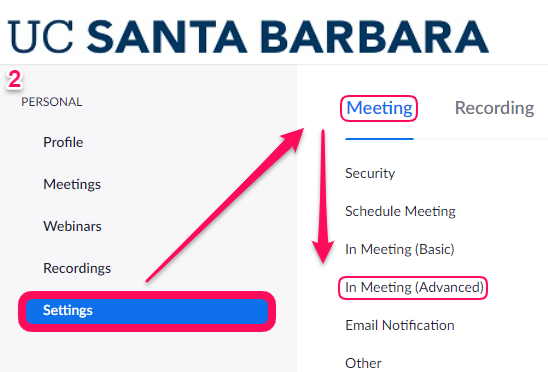
- Log in to the Zoom Web interface by going to http://ucsb.zoom.us/signin
- Navigate to Settings > Meeting > In Meeting (Advanced)
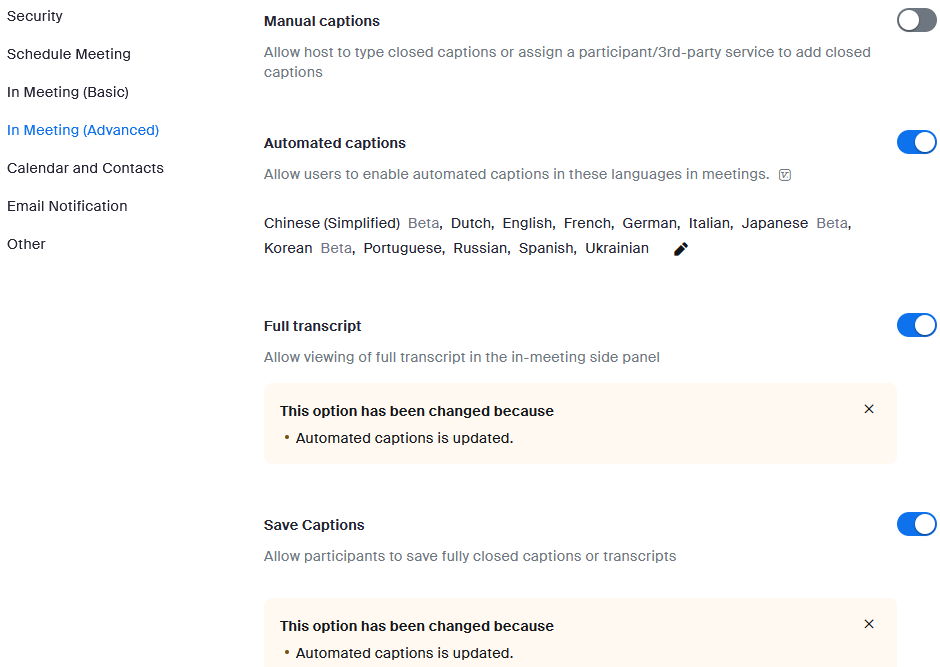
- Scroll down to Automated captions
- Click the toggle button to the right, from grey to blue
- A new message box displays, click the blue Enable button
- This action enables closed captioning/live transcription
- Scroll down to Meeting Transcript and toggle it on in order to have a full and downloadable meeting transcript
Live captioning within Zoom Meetings and Webinars come in two options:
- Captions: text that appears at the bottom of the Zoom window called captions.
- Live Transcript: full meeting audio converted to transcripts in real-time. These are time-stamped and tagged with who was speaking.
Requirements:
The Live Transcription feature has been confirmed to work with the following Zoom clients:
- Zoom Desktop Applications for Windows and macOS
- Zoom Mobile Applications for iOS and Android
- Note: Live transcriptions cannot be accessed using any web client (browser)
Enabling within Zoom Meeting using the Zoom Desktop application
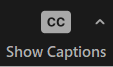
1. Click the Show Captions button at the bottom of your Zoom meeting window
- This action enables in-meeting captioning
2. Click the upward arrow character and select Speaking language to select your caption/transcript language
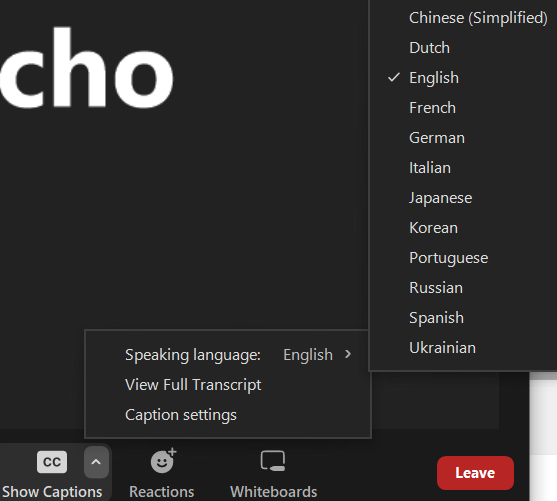
3. Click the upward arrow character and select Full Transcript
- This action enables the full transcript in the in-meeting side panel
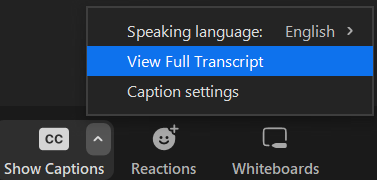
Note: To disable auto-transcription, click the Hide Captions button
For additional support; contact your departmental IT support group, ithelp.ucsb.edu or call (805) 893-5000 (x5000).
You can also view and download a document of the instructions to enable Zoom live transcription